Planner SaaS Site
Builds a product website for a scheduling or rota app as one HTML file whose hero is a working planner visitors can use, with a per-seat price calculator.
By aitroveWebsiteFrontend Content creationPaidChecked 2026-11-19
Result previews
What it does
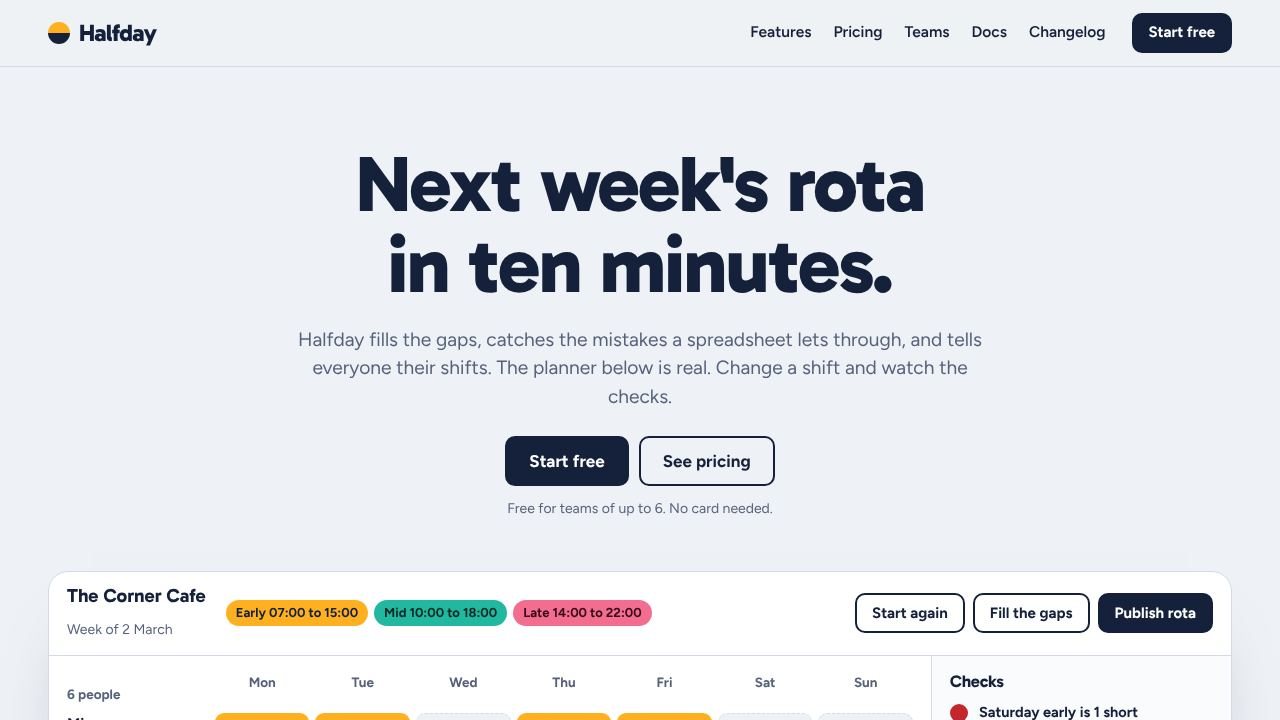
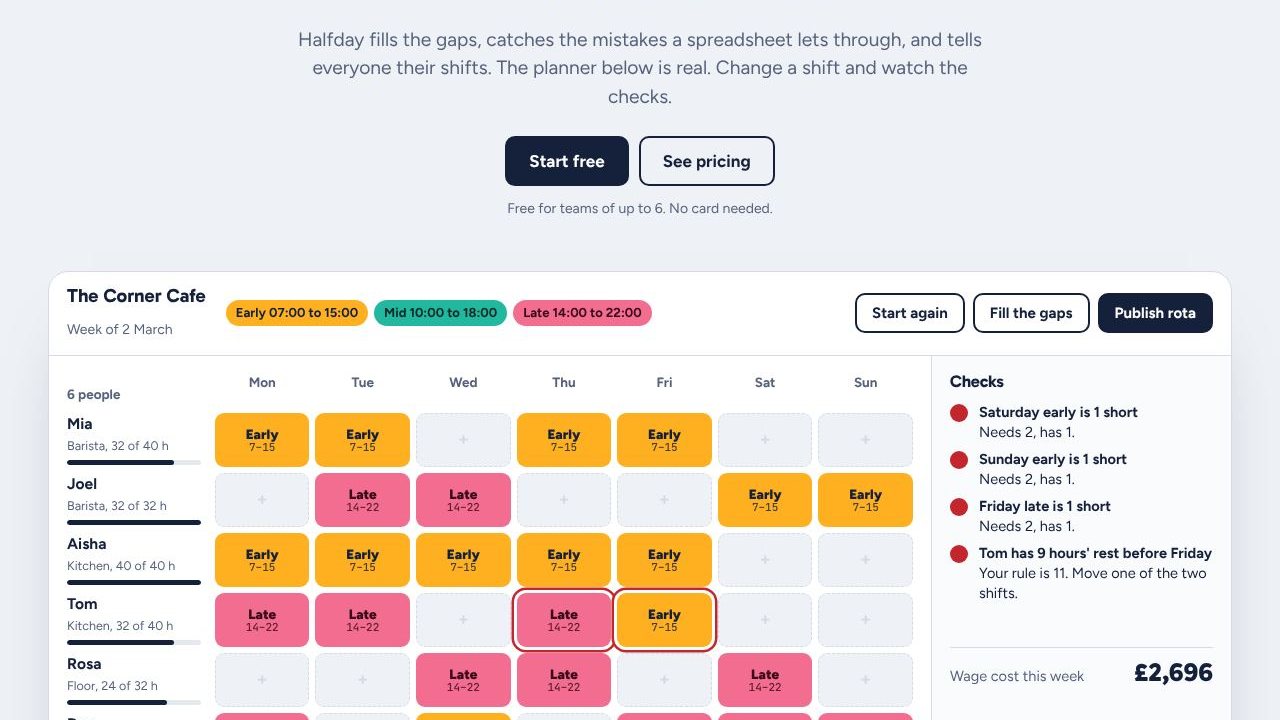
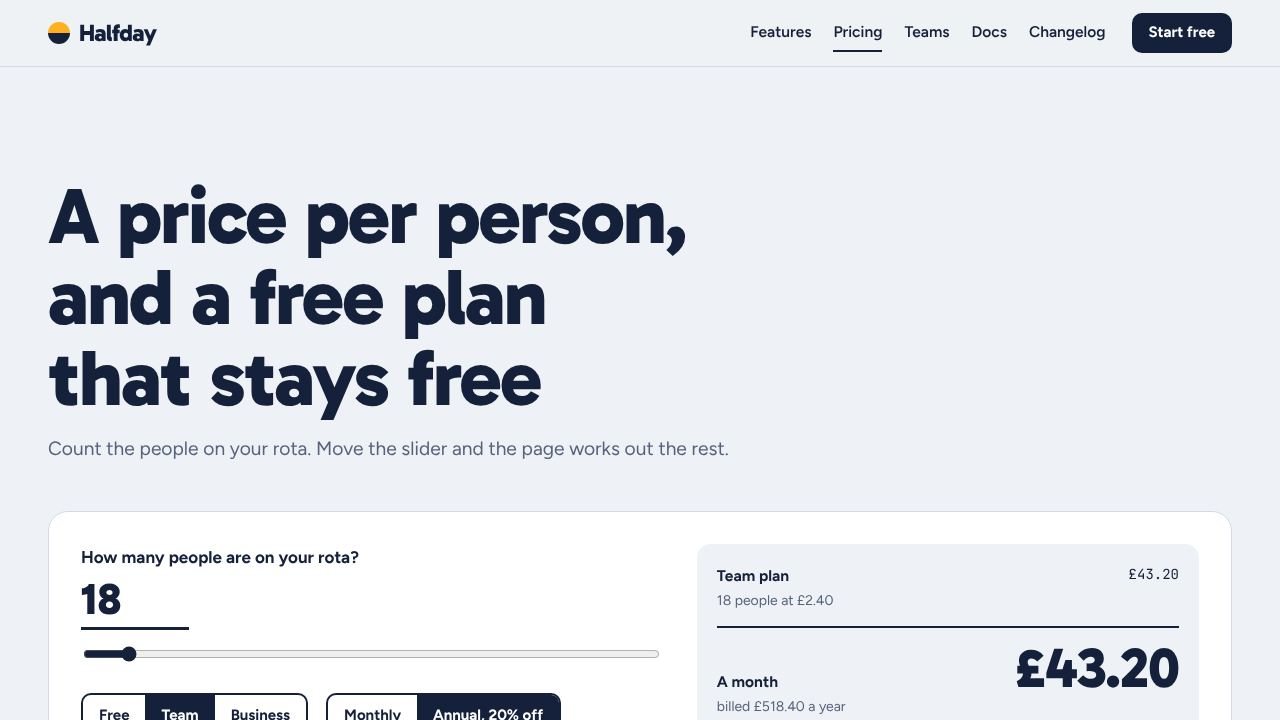
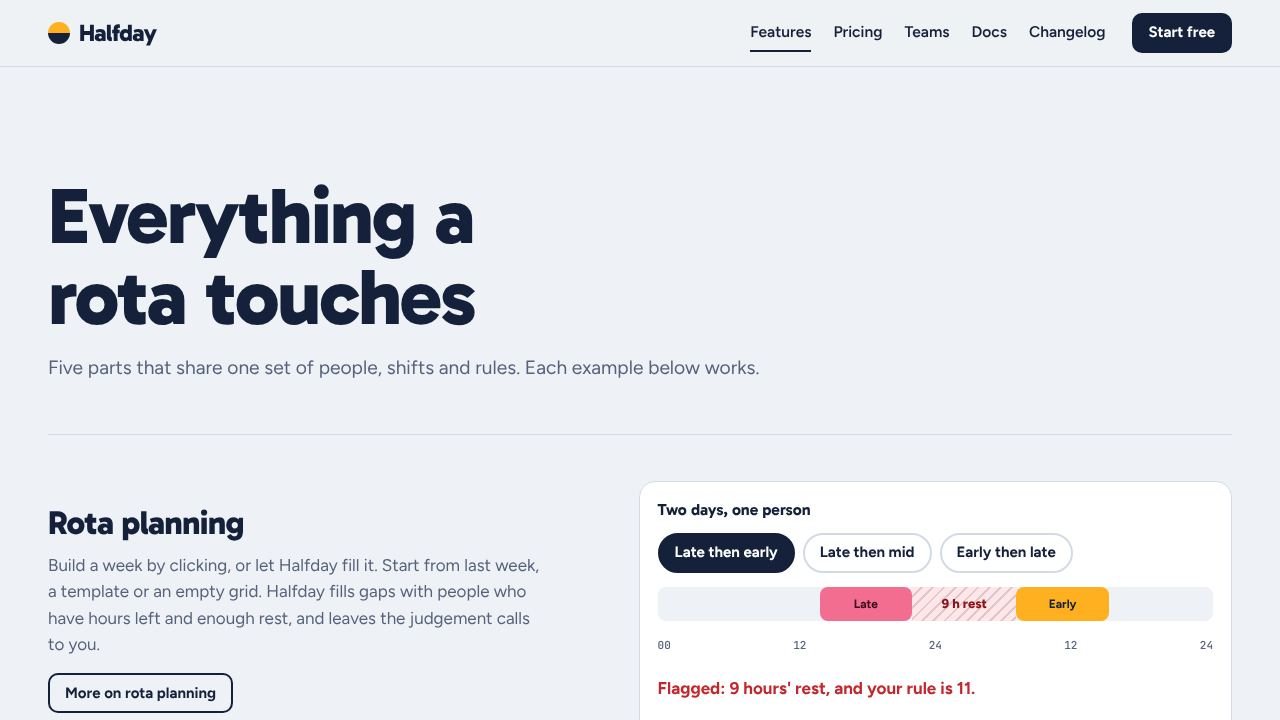
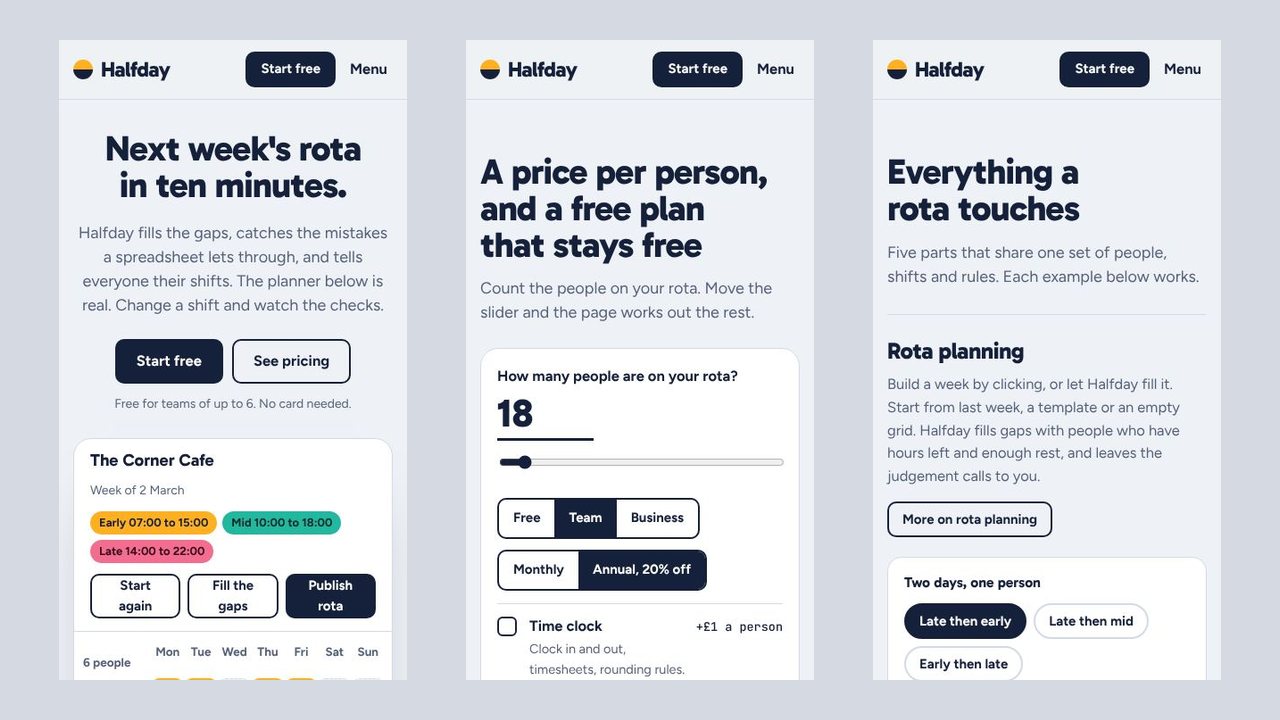
Builds a complete product website for a scheduling, rota, booking or planning app as one self-contained HTML file that opens offline. The hero is a working planner: a grid of people and days that checks cover, rest between shifts and hours as cells are clicked, fills the gaps and publishes. Feature pages carry small live examples instead of screenshots, and a price calculator works out plans, seats, annual billing, volume discount and add-ons. The agent fills in one content file; bundled scripts build the site and check every page, the planner's rules, every price and the phone layout. The sample site has 30 pages, uses no pictures and is about 210 KB.
What you get
- One HTML file with about 30 pages: home, features, pricing, example teams, changelog, docs with search, security, status, about, blog, sign-up, contact, legal pages and 404
- A planner on the home page that checks cover, rest and weekly hours as you click, fills gaps and refuses to publish with open problems
- A per-seat price calculator with plans, annual billing, volume discount, add-ons and a shareable link
- Five small live examples for feature pages: a shift ribbon, a swap, a time clock, leave and a report
- A check script that replays the planner and recomputes every price, with desktop and phone screenshots
Good fit
- Rota, shift, booking and on-call products
- Founders who want visitors to try the idea before signing up
- Agencies prototyping a SaaS site with real interactions and no screenshots
Not for
- Products that are not about putting people or things into time slots
- Planners larger than about 8 rows by 7 columns or with more than three kinds of rule
- Taking sign-ups: the form confirms on screen until you connect a form service or backend
Compatibility
| Agent | Status |
|---|---|
| Claude Code | Reported (not hands-on tested) |
Set up
Set up for Claude Code
Unzip the skill into ~/.claude/skills/ (or your project's .claude/skills/), then ask your agent to build a site with it. The agent writes one content file, adds pictures if the site uses them and runs node scripts/build.mjs and node scripts/check.mjs.
Try it
Build a marketing site for our shift-planning app: a planner people can try on the home page, five features, and pricing per person with a free planRequirements
- Node.js 18 or newer (22 or newer for the browser checks)
- Google Chrome or Chromium (optional, for the automatic checks and screenshots)
FAQ
Is the live demo really what the skill makes?
Yes. The demo is the single HTML file the bundled build script produced from the skill's sample content. Your site has the same pages and behaviour with your own words, prices and pictures. The brand in the demo is fictional.
Is the planner on the page real?
It is a real, small planner that runs in the page: it applies the cover, rest and hours rules from your content file and the check script replays them. It saves nothing and is not your product; it shows visitors how the product thinks.
Can people sign up?
Not yet. The sign-up form checks its fields and confirms on screen. Nothing is emailed or stored. The status page shows the days listed in the content file, not a live service.
Can I change the design?
Only within its rules. The skill has one locked design with its own typefaces and layout. You change the content, the colours it exposes and the pictures, not the layout.
Source: https://www.aitrove.ai/skills-pack/demos/planner-saas-site.html · Author: aitrove
Setup instructions and compatibility are compiled from publisher docs and community reports, not hands-on testing, unless a step is marked Tested. Check the source before relying on a setup.