Recap Reel Video
Makes a vertical year-in-review video from real numbers: nine poster-style scenes, a new colour every scene, cuts on the beat, rendered locally to MP4.
By aitroveVideoContent creationPaidChecked 2026-11-19
Result previews
What it does
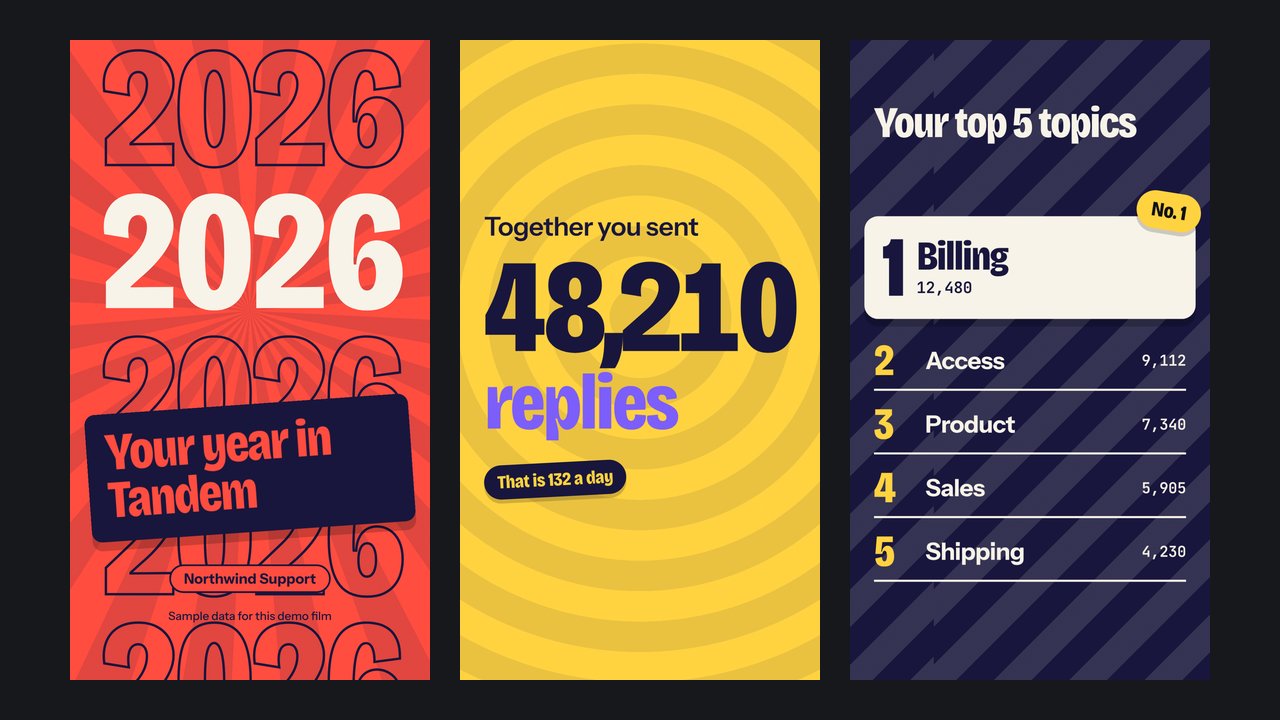
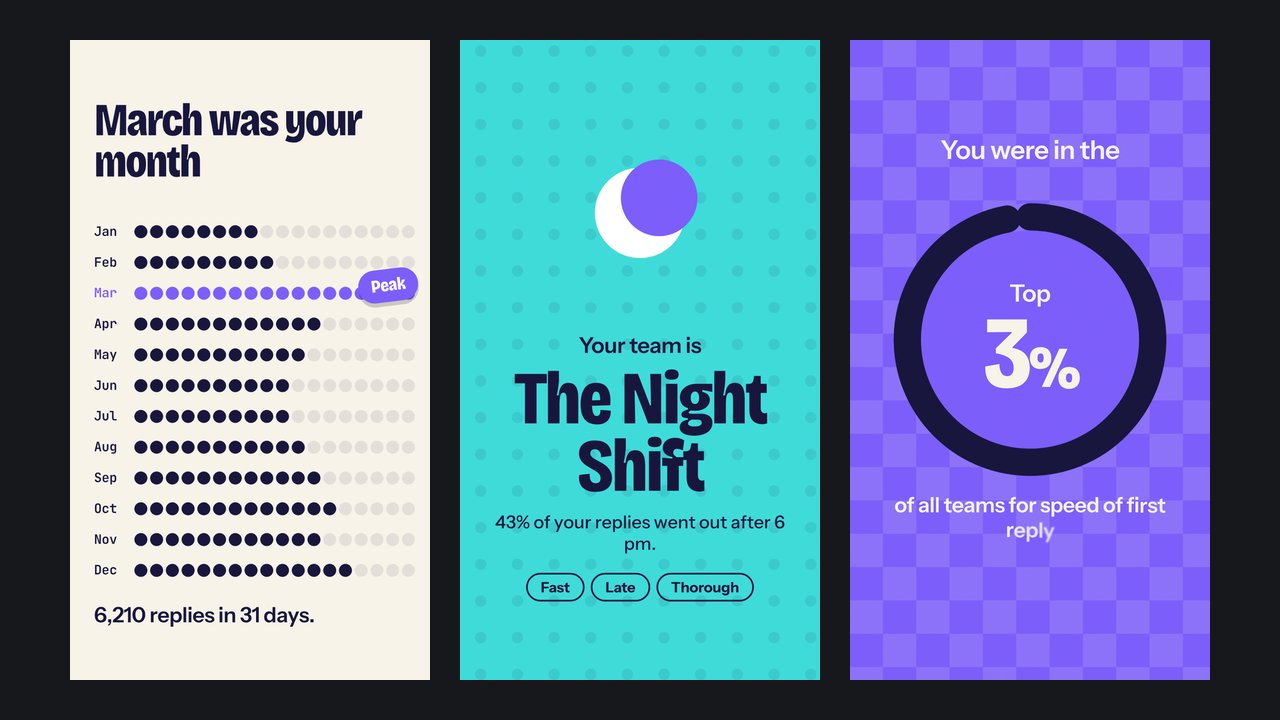
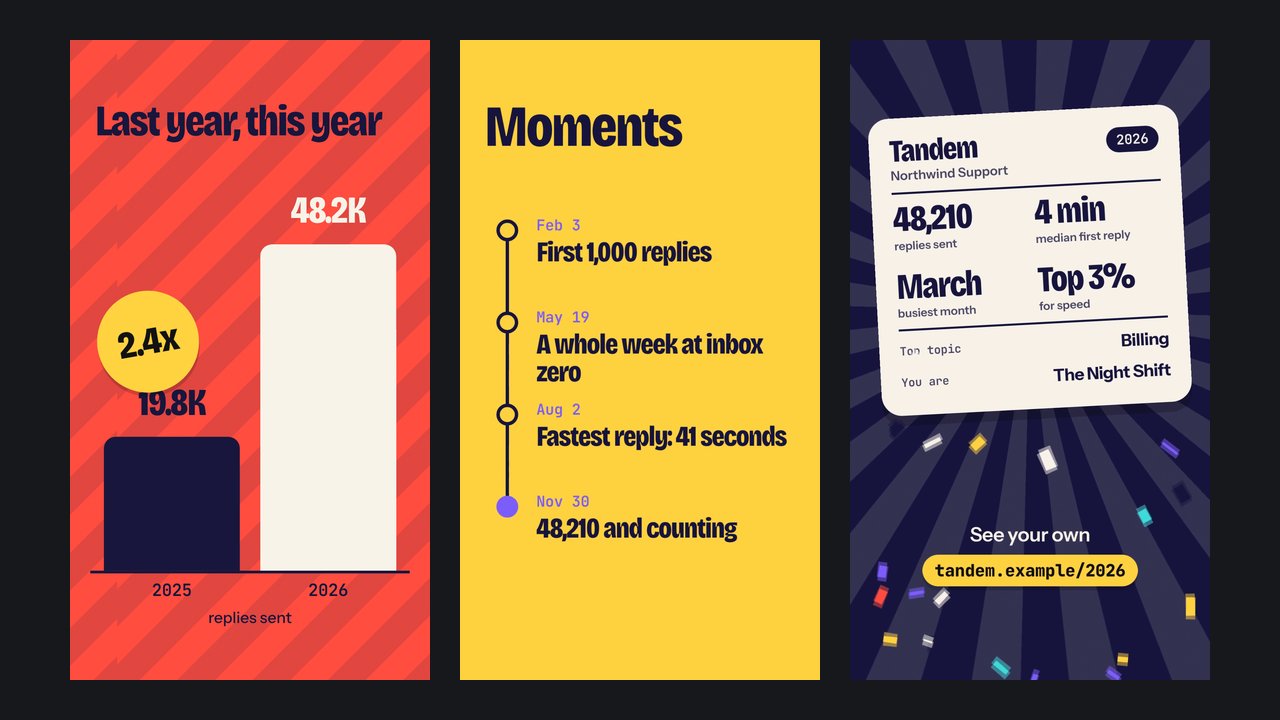
Makes a vertical year-in-review video (1080x1920 MP4 with sound, 25 to 45 seconds) from a person's, team's or company's numbers. The agent writes one film file: a palette and a list of scenes holding the real figures. A bundled renderer draws every frame in headless Chrome, blends frames for motion blur, moves each cut onto a bar line of the music and encodes the MP4 with ffmpeg. There are nine scenes: a cover, a big total, a top-five ranking, the best month, a "you are a ..." card, a rank ring, last year against this year, key dates and a summary card to screenshot. Nothing is generated by a video model, so text stays sharp and every number is exactly the one you gave it.
What you get
- Nine editable scenes for a vertical 1080x1920 film: cover, big number, top-five ranking, months, a "you are a ..." card, rank ring, last year against this year, key dates and a summary card
- Four palettes, or a palette built around your brand colour; type and accent colours are picked by contrast so every scene stays readable
- An original backing track written by the renderer to the film's exact length, with cuts on the bar lines, or your own music file
- A still-frame preview and a layout check that names any text that leaves the frame
- One film file per person, so a recap can be rendered for each user from a template
Good fit
- Apps and communities that want a year-in-review film for their users
- Teams and creators posting annual, quarterly or milestone numbers to Reels, Shorts, TikTok or Stories
- Agencies producing many recaps from one data export
Not for
- Landscape or square video: it renders vertical only
- Films built on photos, clips or logos: the scenes are type and shapes
- Voiceover, or music in another mood than the one built-in style unless you bring a track
- Chinese, Japanese, Korean, Arabic or Cyrillic text: the bundled fonts do not cover them
Compatibility
| Agent | Status |
|---|---|
| Claude Code | Reported (not hands-on tested) |
Set up
Set up for Claude Code
Unzip the skill into ~/.claude/skills/ (or your project's .claude/skills/), run node scripts/check.mjs inside the folder, then ask your agent for a recap video and give it the numbers. It writes a film file, shows you stills, and runs node scripts/render.mjs.
Try it
Make a year-in-review video for our support team: 48,210 replies sent, top five topics, replies per month, median first reply 4 minutes, and 19,800 replies last yearRequirements
- Node.js 22 or newer
- Google Chrome or Chromium
- ffmpeg
FAQ
Is the preview really made by the skill?
Yes. It is the bundled sample film, rendered with the bundled renderer and scaled to 720x1280 for this page. The team and its figures are sample data, and the film says so on its cover.
Where does the music come from?
The renderer writes it. A script builds an upbeat instrumental to the film's exact length from synthesised notes, with no samples, so it needs no licence and no credit. You can also supply your own track; its licence is yours to check.
Will it invent numbers?
It should not. The skill tells the agent to use only the figures you give it, to show its working for anything it computes, and to leave out a scene the data cannot support.
Can I change the look?
You can change the palette, the brand colour, the words and which scenes appear. The poster style and the nine scene designs are fixed.
Source: https://www.aitrove.ai/skills-pack/previews/recap-reel-northwind.mp4 · Author: aitrove
Setup instructions and compatibility are compiled from publisher docs and community reports, not hands-on testing, unless a step is marked Tested. Check the source before relying on a setup.